
Living in the Sunshine State has its perks, beautiful beaches, no state income tax, and year-round warm weather. But let's be honest: Florida can be brutal on your electronics. Between the humidity, the heat, and those afternoon thunderstorms that roll in like clockwork, your computer is fighting an uphill battle just to survive.
If your PC or laptop has been acting up lately, you're definitely not alone. Before you panic and assume the worst, let's walk through the ten most common reasons your Florida computer might be giving you grief, and what you can actually do about it today.
1. Your Computer Won't Turn On
Nothing gets your heart racing quite like pressing the power button and getting… absolutely nothing. Before you start planning a funeral for your device, check the basics first.
Quick Fixes:
- Make sure it's actually plugged in (hey, it happens to the best of us)
- Try a different power outlet, Florida's older homes sometimes have quirky wiring
- Check that all cables are securely connected
- If you're using a power strip or surge protector, make sure it hasn't tripped
If none of that works, you might be looking at a failing power supply unit or motherboard issue. That's when it's time to call in the pros for a proper diagnosis.

2. Painfully Slow Performance
Is your computer running slower than a tourist driving down US-41? Sluggish performance is one of the most common complaints we hear, and there are usually a few culprits behind it.
Quick Fixes:
- Clear out unnecessary files and run disk cleanup
- Uninstall programs you haven't used since the Obama administration
- Close those 47 browser tabs you've got open (we see you)
- Run a full antivirus scan, malware loves to hog your resources
Florida's heat can also cause your computer to throttle its performance to prevent overheating. Make sure your vents aren't blocked and consider using a cooling pad for laptops.
3. WiFi Keeps Dropping
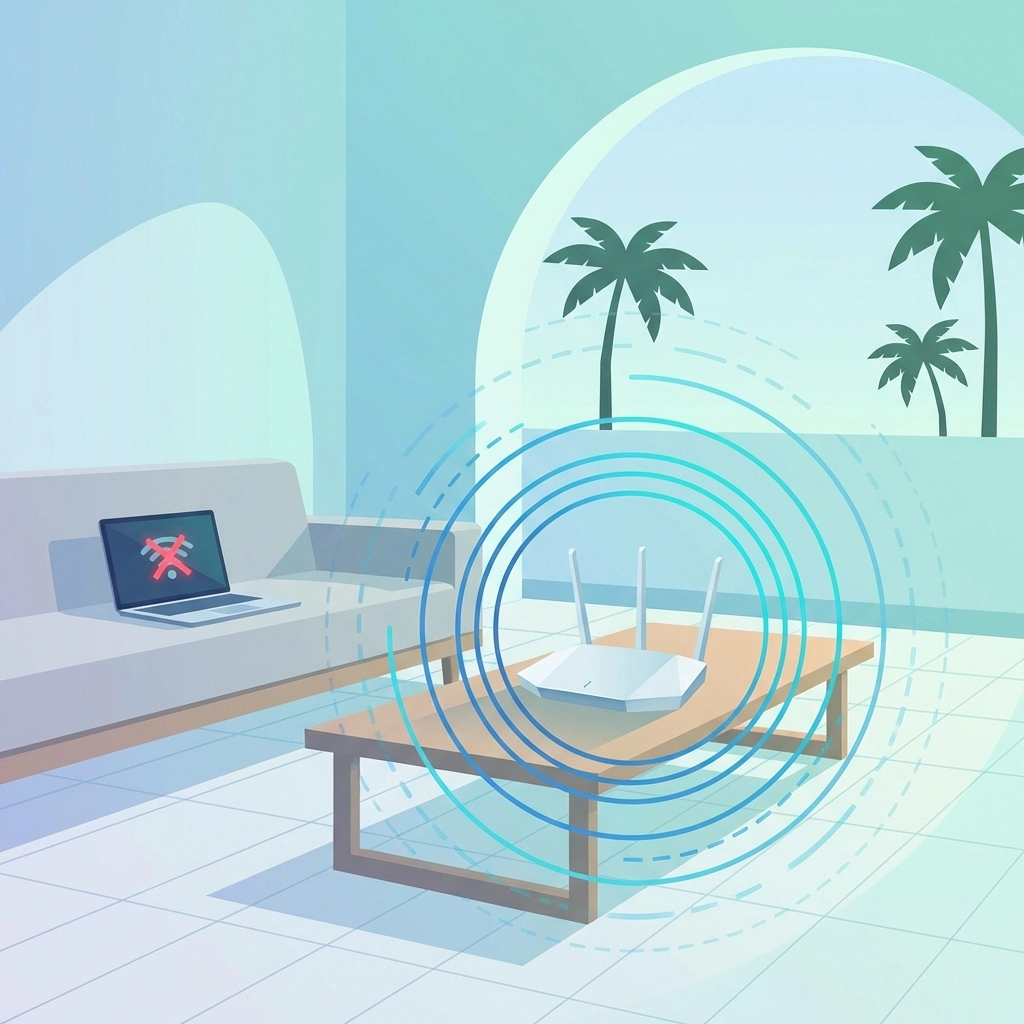
Nothing ruins your work-from-home flow like WiFi that keeps cutting out. Florida homes, especially those concrete block construction ones built to survive hurricanes, can be WiFi signal killers.
Quick Fixes:
- Restart your computer (the classic IT move for a reason)
- Restart your router, unplug it, wait 30 seconds, plug it back in
- "Forget" the network on your device and reconnect fresh
- Check if your router is in a central location, not hidden in a closet
If you're still having issues, your router might be outdated. Technology moves fast, and that router from 2015 might not be cutting it anymore.
4. Can't Access Network Resources
Trying to connect to a shared drive or printer at the office and getting nowhere? Network access problems can be incredibly frustrating, especially when you've got deadlines breathing down your neck.
Quick Fixes:
- Double-check your login credentials (caps lock is sneaky)
- Verify your firewall isn't blocking access
- Make sure you have the proper permissions set up
- Check that the network resource is actually online and available
For businesses, this is often a permissions issue that your IT administrator needs to sort out. If you're managing your own network, it might be time to review your access control settings.
5. Software Won't Launch
You double-click the icon, and nothing happens. Maybe you get an error message, maybe just silence. Either way, it's annoying.
Quick Fixes:
- Check if the software is compatible with your current operating system
- Try uninstalling and reinstalling the program
- Look for updates, both for the software and your OS
- Check if another program might be conflicting with it
Sometimes a recent Windows update can break compatibility with older software. If you're running legacy applications, this can become a recurring headache without proper IT management.
6. Malware and Virus Infections
Florida is known for its invasive species, pythons, iguanas, and apparently computer viruses too. Okay, malware doesn't discriminate by state, but it's still a massive problem.
Quick Fixes:
- Run a full system scan with reputable antivirus software
- Make sure your antivirus definitions are up to date
- Avoid clicking suspicious links (no, you didn't win a free cruise)
- Keep your operating system updated with security patches
If you suspect a serious infection, don't try to tough it out. Malware can steal your personal information, encrypt your files for ransom, or turn your computer into a zombie for a botnet. Check out our post on virus removal and computer repair for more insights.

7. Webcam or Microphone Not Working
With remote work and video calls being the norm these days, a malfunctioning webcam or microphone can derail your entire day.
Quick Fixes:
- Restart your computer (seriously, it fixes so many things)
- Check your privacy settings: Windows might be blocking app access
- Update your drivers
- Make sure the correct device is selected in your application settings
Also, check that you haven't accidentally muted yourself or covered the camera. We've all been there, and there's no judgment here.
8. Software Compatibility Nightmares
Trying to run that program your client swears by, only to find out it doesn't play nice with your system? Compatibility issues are a real pain.
Quick Fixes:
- Verify your system meets the minimum requirements
- Try running the program in compatibility mode (right-click the program, go to Properties, then Compatibility tab)
- Check for alternative software that does the same thing
- Consider a virtual machine for legacy applications
This is especially common when businesses upgrade to new systems but still rely on older industry-specific software.
9. Printer Won't Connect
Printers have a reputation for being temperamental, and honestly, they've earned it. Whether it's a home inkjet or a networked office beast, printer problems are universal.
Quick Fixes:
- Check that the printer is on and has paper/ink
- Restart the printer and your computer
- For wireless printers, verify it's connected to the same network as your computer
- Remove and re-add the printer in your device settings
Sometimes the print spooler service gets stuck. You can restart it through Windows Services, or just restart your computer to clear the jam.
10. External Hard Drive Not Detected
You plug in your external drive expecting to grab those important files, and your computer acts like nothing happened. Classic.
Quick Fixes:
- Try a different USB port (some ports provide more power than others)
- Test the drive on another computer
- Check Disk Management to see if the drive appears but needs a drive letter assigned
- Try a different USB cable if you have one handy
External drives can fail suddenly, which is why regular backups to multiple locations are so important. Don't learn this lesson the hard way.
A Little Tech Humor Break 🤓
Because we all need a laugh when dealing with computer problems:
Why did the computer go to the doctor?
Because it had a virus!
What's a computer's favorite snack?
Microchips!
Why was the computer cold?
It left its Windows open!
And here's a Florida-specific one for you: Why don't Florida computers ever freeze? Because even they know better than to deal with that humidity!
When DIY Fixes Aren't Enough
Look, we get it: there's a certain satisfaction in fixing things yourself. But sometimes computer problems go deeper than what a quick Google search can solve. When you've tried everything and your machine is still acting up, it might be time to bring in professionals who deal with this stuff every day.
At Computers Done Right, we've been helping Florida residents and businesses keep their technology running smoothly for years. Whether it's a stubborn virus, mysterious hardware failure, or you just need reliable ongoing IT support, we've got you covered.
Got questions about repair costs or services? Give us a call and ask for John Reed: he'll get you sorted out with honest answers and no tech jargon runaround.
Don't let a cranky computer ruin your day. Get it fixed right, the first time.