


Let's face it, running a business in Venice, FL means you've probably thought about hurricanes at least once or twice. Maybe a hundred times. But here's the thing: disasters come in all shapes and sizes. From tropical storms and flooding to power surges, ransomware attacks, and good old-fashioned hardware failures, your business computers face threats year-round.
The good news? You don't need to be a tech wizard to protect your data and bounce back quickly when disaster strikes. This guide breaks down everything you need to know about computer recovery in a way that won't make your eyes glaze over. Promise.
Why Disaster Recovery Matters More Than You Think
Picture this: You walk into your Venice office on a Monday morning, coffee in hand, ready to tackle the week. But your server won't boot. Your customer database? Gone. Years of invoices, client information, and that spreadsheet you spent three weeks perfecting, vanished.
According to industry studies, about 60% of small businesses that lose their data shut down within six months. That's not meant to scare you (okay, maybe a little), but it highlights why having a recovery plan isn't just smart, it's essential for survival.

Here in Florida, we deal with unique challenges. Hurricane season runs from June through November, bringing potential flooding, extended power outages, and physical damage to equipment. But don't forget about the everyday threats like:
- Power surges from summer storms
- Humidity damage to sensitive electronics
- Cyber attacks targeting small businesses
- Hardware failures that happen without warning
- Human error (we've all accidentally deleted something important)
Step One: Document Everything Before Disaster Strikes
The best time to prepare for a disaster is before it happens. Start by creating a complete inventory of your computer systems, including:
- All desktop computers, laptops, and servers
- Software licenses and installation media
- Network equipment (routers, switches, modems)
- External hard drives and backup devices
- Login credentials (stored securely, of course)
Keep this documentation in multiple places, a physical copy stored off-site, a digital copy in the cloud, and maybe even email it to yourself. When chaos hits, you'll thank yourself for being organized.
Building Your Backup Strategy
Here's where things get real. If you're not backing up your data regularly, stop reading and go set that up right now. Seriously. We'll wait.
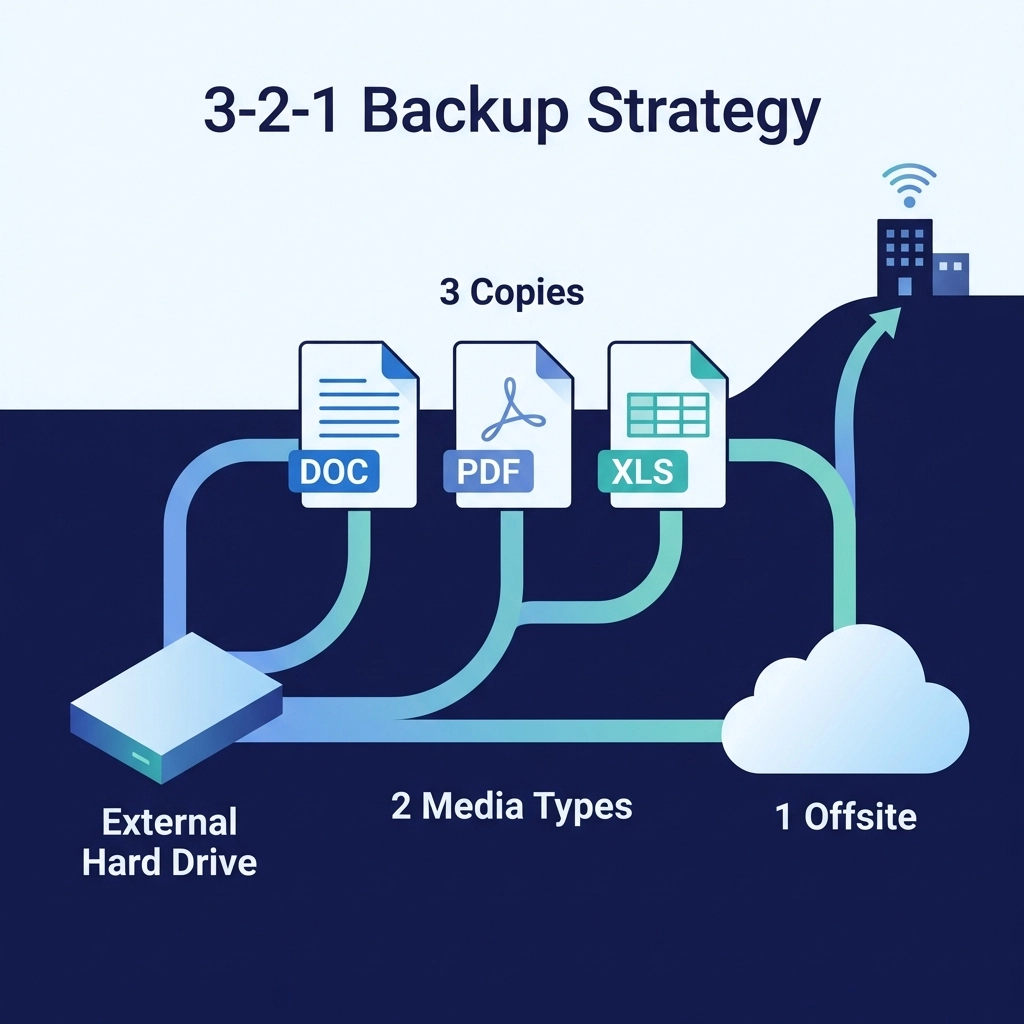
The golden rule of backups is the 3-2-1 strategy:
- 3 copies of your data
- 2 different storage types (like an external drive AND cloud storage)
- 1 copy stored off-site
For Venice businesses, that off-site copy is crucial. If a hurricane damages your building, having a backup sitting right next to your computer won't help much.
Cloud Backup Options
Cloud backups have become incredibly affordable and reliable. Your data gets encrypted and stored in secure data centers far from the Florida coast. Even if your entire office floods, your files stay safe and dry somewhere in the digital cloud.
Local Backup Solutions
External hard drives and network-attached storage (NAS) devices give you quick access to your files for everyday recovery needs. Accidentally delete a file? Restore it in minutes without waiting for a cloud download.
Automated Is the Way to Go
Manual backups are great in theory but terrible in practice. Life gets busy, and "I'll back that up tomorrow" turns into "I haven't backed up in six months." Set up automated backups that run daily (or even hourly for critical data) so you never have to think about it.
When Disaster Actually Strikes: Your Recovery Checklist
Okay, the worst has happened. Whether it's storm damage, a cyberattack, or a catastrophic hardware failure, here's how to get back on your feet:
1. Stay Calm and Assess the Situation
Before you touch anything, take a breath. Document all visible damage with photos and videos: this is important for insurance claims and business damage assessments. The State of Florida may activate a Business Damage Assessment Survey after major disasters, and having documentation ready helps expedite your recovery.
2. Contact Your Insurance Provider
Get in touch with your insurance company immediately and arrange to meet with an adjuster. Many business policies cover computer equipment replacement and data recovery services, but you need to file claims promptly.
3. Don't Try to Power On Damaged Equipment
This is huge. If your computers got wet or were in a building that flooded, do NOT plug them in to see if they still work. Water and electricity are a dangerous combination, and you could cause more damage to drives that might otherwise be recoverable.
4. Call in the Professionals
This is not the time for DIY heroics. Professional IT services can assess damaged equipment, attempt data recovery from failing drives, and help you rebuild your systems correctly. At Computers Done Right, we've helped countless Venice businesses recover from exactly these situations.

5. Access Your Backups
If you followed the 3-2-1 strategy, this is where it pays off. Retrieve your off-site or cloud backups and begin restoring data to your new or repaired systems.
6. Update Your Passwords and Security
After any disaster: especially cyber incidents: change all your passwords. Update security software, run full system scans, and make sure your rebuilt systems are protected going forward.
Financial Resources for Venice Businesses
Recovering from a disaster often requires capital. Here are some resources available to Florida business owners:
- SBA Economic Injury Disaster Loans (EIDL): Low-interest loans up to $2 million to help cover operating expenses during recovery
- SBA Physical Disaster Loans: Funding to replace or restore damaged property and equipment
- Florida Small Business Emergency Bridge Loan Program: Short-term interest-free loans to bridge the gap while waiting for insurance or federal assistance
You can contact the SBA directly at (800) 659-2955 or visit FloridaDisaster.biz for more information on state and federal resources.
Tech Humor Break: Because We All Need a Laugh
You've made it this far, so here's your reward: some computer jokes to lighten the mood:
Fun Fact: The first computer "bug" was an actual bug! In 1947, engineers found a moth stuck in a relay of the Harvard Mark II computer. They taped it into the logbook with the note "First actual case of bug being found." And that's why we call computer problems "bugs" to this day!
Q: Why did the computer go to the doctor?
A: Because it had a virus!
Q: What's a computer's favorite snack?
A: Microchips!
And remember: A good backup is like sunscreen in Florida: you won't appreciate it until you really, really need it.
The Best Disaster Recovery Plan? Prevention
While you can't prevent hurricanes (wouldn't that be nice?), you can minimize their impact through managed IT services. Regular maintenance, monitored backups, and proactive security measures catch problems before they become disasters.
Think of it this way: Would you rather pay for a small repair now or a complete system rebuild later? Managed IT is like having a mechanic check your car regularly instead of waiting for the engine to explode on I-75.
For questions about setting up a disaster recovery plan for your Venice business, or if you need help recovering from an incident right now, give us a call and ask for John Reed. We're happy to discuss your specific situation and find solutions that fit your business. Visit Computers Done Right or check out more helpful articles on our blog.
Disasters are stressful enough without worrying about your technology. With the right preparation and the right team in your corner, your Venice business can weather any storm: digital or otherwise.