
Hello there, Sarasota neighbors! If you’re reading this, chances are you’ve had a moment or two where you wanted to toss your laptop right into the Gulf of Mexico. Don’t worry; we’ve all been there. Technology is wonderful when it works, but when it starts acting up, it can feel like trying to translate a foreign language while wearing a blindfold.
At Computers Done Right, we see a lot of folks coming into the shop feeling a bit embarrassed. They think they’ve "broken" their computer or did something "stupid." Let us stop you right there: there are no stupid questions or mistakes in the world of IT. Computers are complicated, and unless you spent your career as a software engineer, there’s no reason you should know every little quirk of these machines.
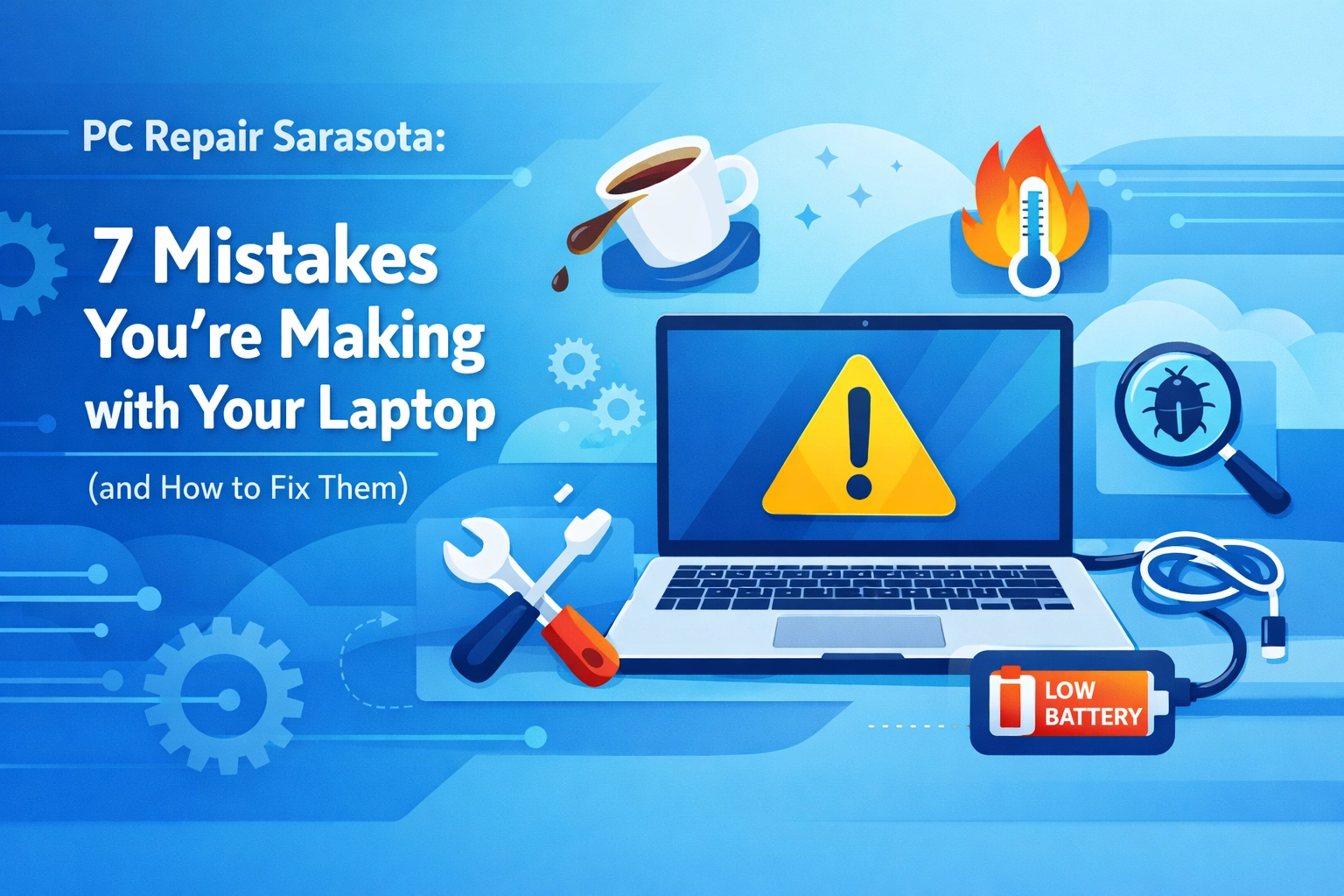
Think of us as your friendly neighborhood mechanics, but for your digital life. Today, we’re going to look at seven very common mistakes we see people making with their laptops here in sunny Sarasota County. We’ll explain why they happen and, more importantly, how you can fix them with a few simple clicks (or a change in habit).
1. The "Forever On" Syndrome (Never Restarting)
We get it: you’re in the middle of a bridge game, checking your email, and looking at photos of the grandkids all at once. When you’re done, it’s much easier to just shut the lid and walk away. But here’s the secret: your laptop never actually "went to sleep" in the way humans do. It’s more like it’s in a light nap, still holding onto all the "trash" and little errors that accumulated throughout the day.
The Mistake: Keeping your laptop running for weeks or even months without a full restart. This clogs up your "RAM" (that’s just a fancy word for your computer’s short-term memory).
The Fix: Give your computer a "night’s sleep." At least once every two or three days, go to the Start menu and click Restart. This flushes out the digital cobwebs and lets the system start fresh. It’s the easiest "repair" in the world!
2. The "Soft Surface" Trap
It’s a beautiful morning in Venice, FL, and you want to sit in bed or on the sofa with your laptop to read the news. You plop the laptop right onto the comforter or a plush pillow. Within twenty minutes, the bottom of the computer feels hot enough to fry an egg, and the fans are screaming like a jet engine.
The Mistake: Placing your laptop on soft surfaces like beds, blankets, or even your lap for long periods. Laptops have little "feet" on the bottom for a reason: they need air to circulate. Soft surfaces block the vents, leading to overheating, which can actually melt internal parts over time.

The Fix: Always use a hard, flat surface. A desk or a kitchen table is best. If you really want to use it in bed, buy a "laptop desk": one of those little trays with legs. Your laptop will stay cool, and it will live a much longer life. If you're worried your computer has already suffered from the heat, check out our computer tips for more advice on keeping things cool.
3. Falling for the "Free Cleaner" Trap
You’re browsing the web when suddenly a bright red box pops up saying, "WARNING: Your System Is Slow! Click here to clean your PC for free!" It looks official, maybe even like it’s from a big company you recognize.
The Mistake: Downloading "PC Cleaners," "Registry Boosters," or "Driver Updaters" from the internet. In 99% of cases, these programs are actually "bloatware" or, worse, "scareware." They don't fix anything; they just want your credit card number or to show you more ads.
The Fix: If your computer is slow, don't download a "fixer" from a random website. Use the built-in tools Windows provides, or better yet, give us a call. We specialize in cyber security and can tell you exactly what is a scam and what is a legitimate tool. If a window pops up and scares you, just close the browser and take a deep breath. You haven't done anything wrong!
4. The "Keyboard Buffet"
We’ve all done it. A little snack while watching YouTube, or a cup of coffee while catching up on the morning news. But laptops and liquids (or crumbs) are like oil and water: they just don't mix.
The Mistake: Eating or drinking directly over the keyboard. Even if you don't spill the whole cup, tiny droplets of coffee or crumbs from a sandwich can get under the keys. Over time, these create "sticky keys" or can even cause a short circuit on the motherboard.
The Fix: Keep your snacks at least a foot away from the machine. If you do spill something, turn the laptop off immediately, unplug it, and don't try to "dry it out with a hairdryer" (which can melt the plastic!). Bring it in to see us at Computers Done Right as fast as you can. We’ve saved many a "latte-soaked" laptop in our day!
5. Ignoring the "Remind Me Tomorrow" Button
Windows pops up a little notification in the corner: "Updates are available." You’re busy, so you click "Remind Me Tomorrow." Then you do it again. And again. For three months.
The Mistake: Ignoring software and operating system updates. These updates aren't just there to move your buttons around; they often contain "security patches." These are like digital locks that keep hackers out of your personal information.

The Fix: Let the computer update! A good trick is to start the updates right before you go to bed. That way, the computer can do its thing while you’re sleeping, and it’ll be ready for you in the morning. Staying updated is a key part of managed services, even for home users.
6. Plugging Directly into the Wall
Florida is the lightning capital of the country. A single afternoon thunderstorm in Sarasota can send a massive surge of electricity through your power lines.
The Mistake: Plugging your expensive laptop (or its charger) directly into a standard wall outlet. If lightning hits nearby, that surge can bypass your battery and fry the "brains" of your computer instantly.
The Fix: Buy a high-quality surge protector. Not just a "power strip" from the dollar store, but a real surge protector rated for electronics. It’s a small investment that can save you the cost of a brand-new laptop.
7. Using the Screen as a Handle
Laptops are portable, which is great! But they are also delicate. We often see people grab their laptop by the top of the screen to move it from the coffee table to the dining room.
The Mistake: Putting pressure on the screen or the hinges. The screen is made of very thin glass and liquid crystals. The hinges are often just small bits of plastic and metal. Picking it up by the "lid" puts an incredible amount of stress on these parts.
The Fix: Always pick up your laptop by the base (the part with the keyboard) using two hands. Treat it like a fragile plate. If your screen is already flickering or the hinge feels "crunchy," it might be time for some computer service to prevent it from snapping completely.
A Little Tech Humor to Brighten Your Day
Since we’re talking about mistakes, let’s have a laugh. We tech folks have a lot of funny names for these problems.
- The "PEBCAK" Error: This is an old industry joke. It stands for "Problem Exists Between Chair And Keyboard." (That’s you! But don't worry, we say it with love.)
- Why did the computer show up late to work? It had a hard drive!
- How many programmers does it take to change a lightbulb? None, that’s a hardware problem!
- Computer Trivia: Did you know the first "computer bug" was an actual moth? In 1947, engineers found a moth stuck in a relay of the Harvard Mark II computer. They literally "debugged" it!
We’re Here to Help, Sarasota!
If you’ve realized you’re making one (or all seven) of these mistakes: don't sweat it. You aren't "bad at technology." You’re just busy living your life, and we’re here to make sure your technology keeps up with you.
Whether you’re in Sarasota, Venice, or Port Charlotte, Computers Done Right is your go-to spot for reliable, friendly, and jargon-free help. We pride ourselves on being the tech experts who speak "human."
If your laptop is acting sluggish, making weird noises, or you just want someone to give it a "wellness check" to make sure your data is safe, we’ve got your back. We handle everything from virus removal to full managed IT services.
Don't wait until the "Blue Screen of Death" makes an appearance. Give us a call or stop by our home page to see how we can help. For any questions about what we do or to get a better idea of how we can help you specifically, feel free to reach out and speak to John Reed. He’s always happy to chat and point you in the right direction.
Remember: it’s your computer, but it’s our passion. Let’s make sure it’s done right!
Ready to get started? Visit our Customer Check-In page or browse more computer tips on our blog!