

Living in Venice, Florida means dealing with humidity, sand, and the occasional hurricane – all things that can wreak havoc on your computer. But here's the thing: most computer problems that send people running to repair shops are completely preventable.
After years of fixing computers in Southwest Florida, I've seen the same preventable issues cost families and businesses hundreds, sometimes thousands of dollars. The good news? You can avoid most of these expensive repairs with some simple prevention strategies that actually work.
Let's dive into five proven methods that'll keep your computer running smoothly and your wallet happy.
1. Keep Your Operating System Updated (And Actually Do It)
Here's what most people don't realize: those annoying Windows and macOS update notifications aren't just Microsoft and Apple being pushy. They're your first line of defense against expensive repairs.
System updates patch security holes, fix performance bugs, and optimize how your computer handles everything from memory management to hardware communication. When you skip updates, you're basically leaving your front door unlocked in a neighborhood full of digital burglars.
The Venice FL Reality Check: With our high internet usage (thanks to all those retirees staying connected with family up north), outdated systems become sitting ducks for malware and ransomware attacks. A single malware infection can cost you anywhere from data recovery fees to complete system rebuilds.
Make It Automatic: Set your computer to install updates automatically during off-hours. Yes, it might restart when you're not expecting it, but that's way better than paying for emergency virus removal or data recovery.

2. Run Real Antivirus Protection (Not Just Windows Defender)
Windows Defender is like wearing flip-flops in a construction zone – better than nothing, but not nearly enough protection for the real world.
Quality antivirus software doesn't just catch viruses after they're already on your system. Modern solutions prevent malware downloads, block suspicious websites, and scan email attachments before they can cause damage. They're like having a security guard who actually stays awake on the job.
The Local Threat: Here in Venice, we see tons of computers infected through vacation rental scams, fake SunPass toll emails, and phishing attempts targeting snowbirds. These attacks are getting more sophisticated, and basic protection just doesn't cut it anymore.
What Actually Works: Invest in a reputable antivirus suite and keep it updated. Run full system scans weekly, not just when something seems wrong. Think of it like taking vitamins – prevention beats treatment every time.
3. Clean the Dust (Your Computer Needs to Breathe)
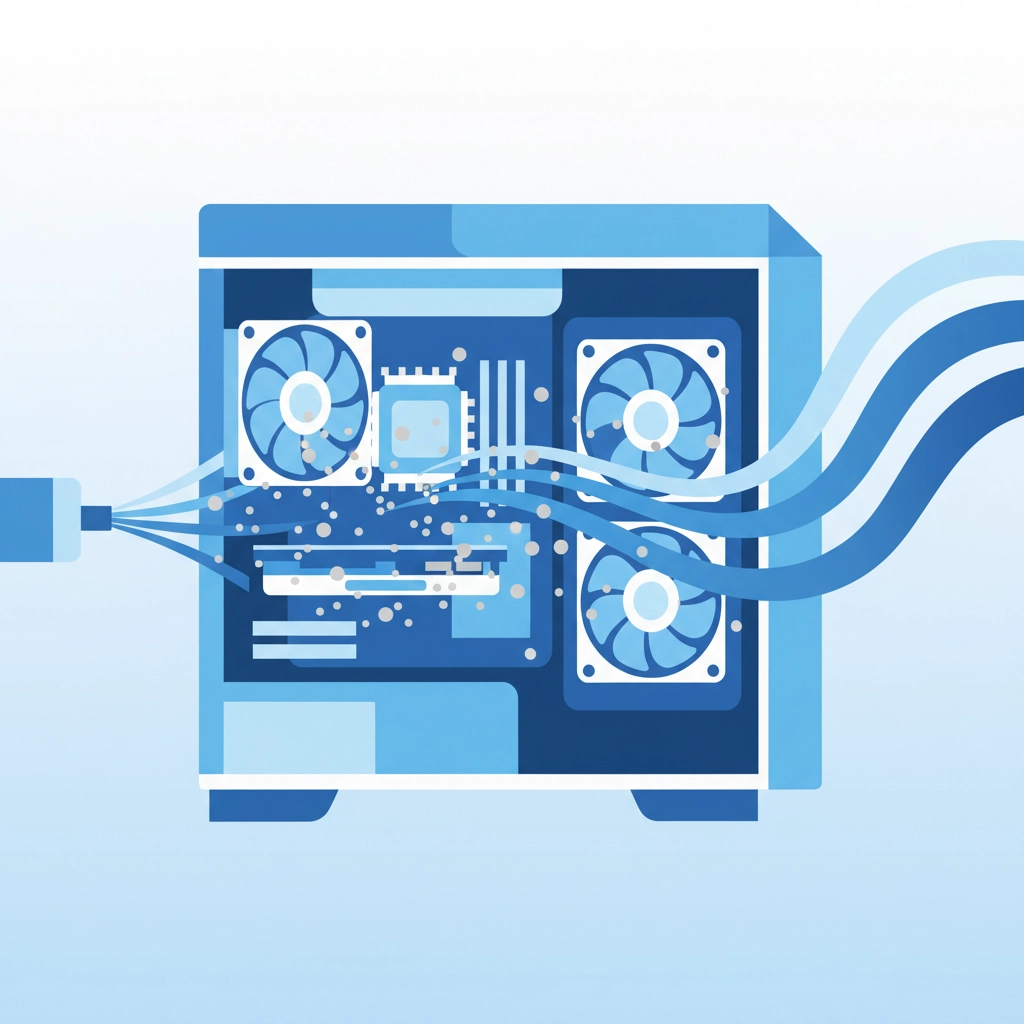
Florida's sandy beaches are beautiful, but that same sand and dust that gets everywhere also loves to clog up your computer's cooling system. When your computer can't breathe, it overheats. When it overheats, expensive components start failing.
Dust buildup is the silent killer of computers in our area. Your CPU and graphics card generate serious heat, and if that heat can't escape, you're looking at motherboard replacements that cost more than many new computers.
The Simple Fix: Every few months, grab a can of compressed air and gently blow out the vents and fans. Don't use a vacuum cleaner – the static electricity can fry your components. If you hear your computer's fans running louder than usual, that's your cue to clean it immediately.
When to Call for Help: If you're not comfortable opening your computer case, bring it in for professional cleaning. It's a small investment that can prevent major repairs down the road.

4. Back Up Your Data Before Disaster Strikes
Here's a harsh truth: your hard drive will fail eventually. Not might fail, will fail. It's not a matter of if, it's when. The question is whether you'll be prepared or if you'll be one of those people paying premium rates for emergency data recovery.
The Venice Factor: Between hurricanes, power outages, and the general wear and tear from our humid climate, computers in Southwest Florida face more environmental stress than average. Add in the fact that many of our residents have years of irreplaceable photos and documents, and data loss becomes a serious concern.
Multiple Backup Strategy: Don't rely on just one backup method. Use an external hard drive for quick daily backups and a cloud service for offsite protection. Set up automatic backups so you don't have to remember to do it manually.
Cost Reality: Professional data recovery can cost $500-$2000 depending on the type of failure. A good backup system costs under $100 and runs automatically. Do the math.
5. Protect Against Physical Damage and Florida's Unique Challenges
Venice's lifestyle is great, but it presents unique challenges for computer equipment. Beach sand, humidity, salt air, and sudden thunderstorms all threaten your technology investment.
Liquid Damage Prevention: Keep drinks away from your workspace. Coffee spills are the number one cause of laptop deaths in our area. If you must have beverages nearby, use cups with lids and keep them on a separate surface.
Power Protection: Florida's frequent thunderstorms make surge protectors essential, not optional. A good surge protector costs $30-50. A lightning-fried computer costs hundreds to replace.
Location Matters: Don't set up your computer near windows where direct sunlight can overheat it, or in areas prone to humidity buildup like laundry rooms or poorly ventilated spaces.
When Prevention Isn't Enough
Even with the best prevention strategies, sometimes computers need professional attention. The key is catching problems early when they're still fixable, rather than waiting until your system crashes completely.
Warning Signs to Watch For:
- Unusual noises from fans or hard drives
- Programs taking longer than usual to load
- Frequent freezing or unexpected restarts
- Error messages you don't understand
- Slower internet speeds despite good connection
If you notice any of these symptoms, don't wait. Early intervention usually means simpler, less expensive fixes.
A Little Computer Humor to Brighten Your Day
Why don't computers ever get cold?
Because they have Windows!
And here's a classic: How many programmers does it take to change a light bulb? None – that's a hardware problem!
Speaking of hardware problems, did you hear about the computer that went to therapy? It had too many bytes of emotional baggage!
One more: Why was the computer cold at the office? Someone left Windows open!
The Bottom Line for Venice Residents
These five prevention strategies aren't just theoretical advice – they're based on real problems I see every day in our community. The families and businesses that follow these guidelines spend dramatically less on computer repairs and experience far fewer data disasters.
Remember, an ounce of prevention really is worth a pound of cure, especially when that "cure" involves emergency service calls and rush data recovery fees.
Need Professional Help?
If you're dealing with computer issues or want to set up proper prevention strategies for your home or business, don't let small problems become expensive disasters.
For personalized advice, service quotes, or to discuss your specific situation, give us a call and ask for John Reed. We'll help you create a prevention plan that fits your needs and budget.
Your computer investment is too important to leave to chance. Let's work together to keep it running smoothly for years to come.
Visit our services page to learn more about how Computers Done Right can help protect your technology investment.